Spain · Tesorería General de la Seguridad Social (TGSS)
How to download your Informe de Vida Laboral and your Bases de Cotización
- Time
- Under ten minutes once you can log in - a single session covers both documents. Plan for a separate, slower registration step if you don't have any of the login methods yet.
- Cost
- Free
- You need
- A way to log in: Cl@ve Permanente, Cl@ve Mobile (Cl@ve PIN), an SMS code to the mobile Social Security holds for you, or a DNIe/digital certificate · Your DNI or NIE · A few minutes to download two reports, not one - the vida laboral (coverage) and the bases de cotización (earnings)
Before you start: how you'll identify yourself
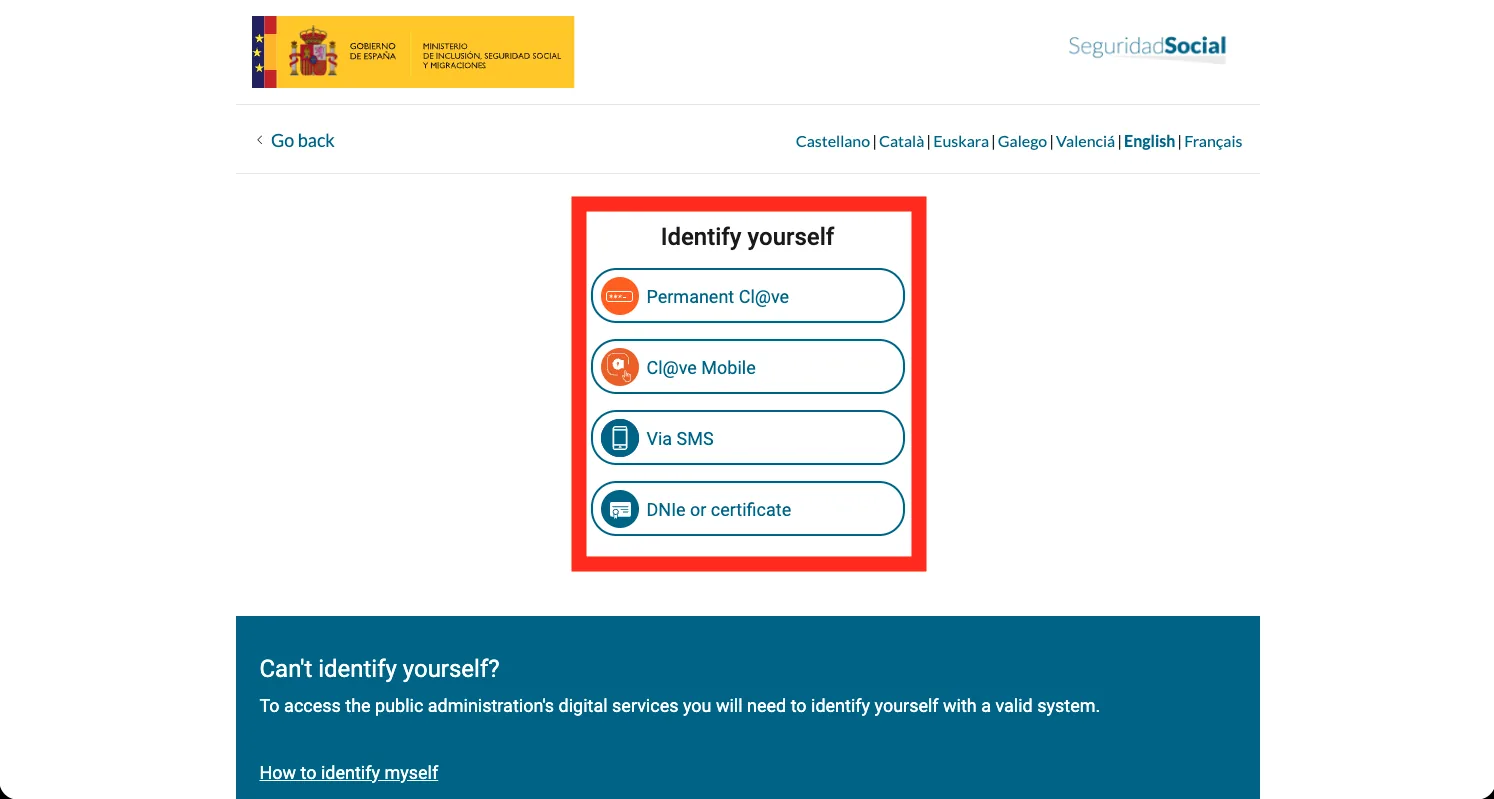
Everything below happens inside your Social Security personal area, so you need one way to log in. The portal offers four on the same screen - Cl@ve Permanente, Cl@ve Mobile, an SMS code, or a DNIe/digital certificate - and any of them lands you in the same place. If you already have one, you're ready.
The lightest option is the SMS code: no password and no certificate, just a one-time code texted to you. It only works if the number you give is the one Social Security already holds for you - it's proving you're the person tied to that number, not that you own a phone. If you've never worked in Spain or changed your number since, that route is closed and you'll need Cl@ve or a certificate instead.
If it doesn't look like this
I live outside Spain and have no Spanish postal address - can I still register for Cl@ve?#
This is the Spanish equivalent of the emigrant address trap. The no-certificate internet registration route posts an activation letter to a Spanish fiscal address, which most people who've left Spain no longer have. The documented alternative is a video-call identity check with the Agencia Tributaria, where you show your ID on camera instead of receiving anything by post - check clave.gob.es for current availability. Anyone who already holds a digital certificate or DNIe can register online directly.
Do I need a DNI, or is a NIE enough?#
A NIE is enough. This record hangs off your Social Security affiliation number, not your specific identity-document type, and every login form accepts DNI or NIE as alternatives.
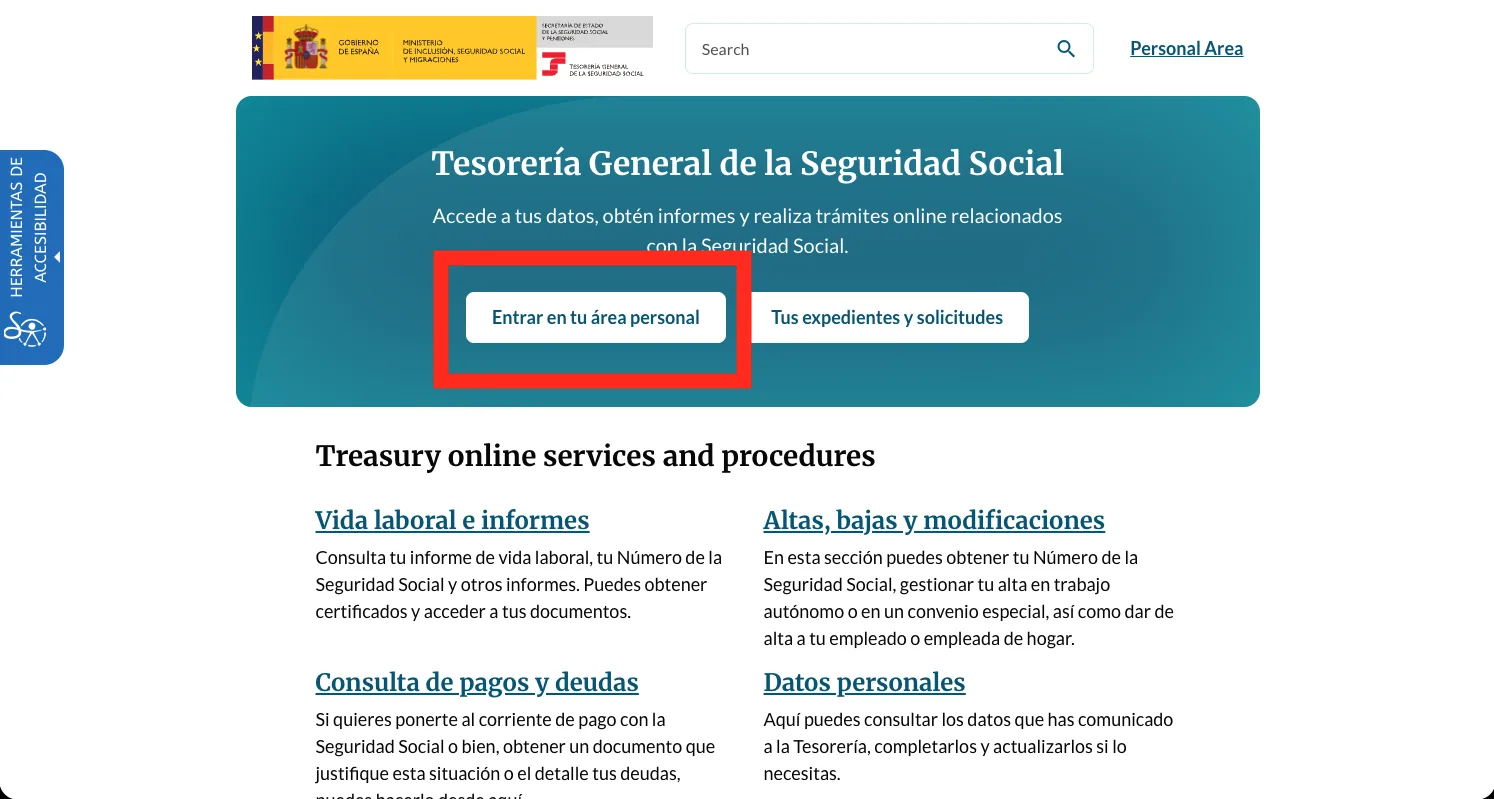
Open the portal and press Entrar en tu área personal
Go to the TGSS portal at portal.seg-social.gob.es and press 'Entrar en tu área personal' in the blue banner.
Identify yourself - Cl@ve, Cl@ve Mobile, SMS or certificate
One gateway screen offers all four ways in: Permanent Cl@ve, Cl@ve Mobile, Via SMS (a code to the mobile Social Security holds for you), and DNIe or certificate. Pick whichever you have - they all land in the same personal area.
If it doesn't look like this
Is the SMS option here the same as logging in?#
Yes - on this screen 'Via SMS' is one of the identity methods, not a separate no-login shortcut. You enter your DNI/NIE and receive a one-time code on the mobile Social Security has on file, which logs you into the same personal area as the other three methods.
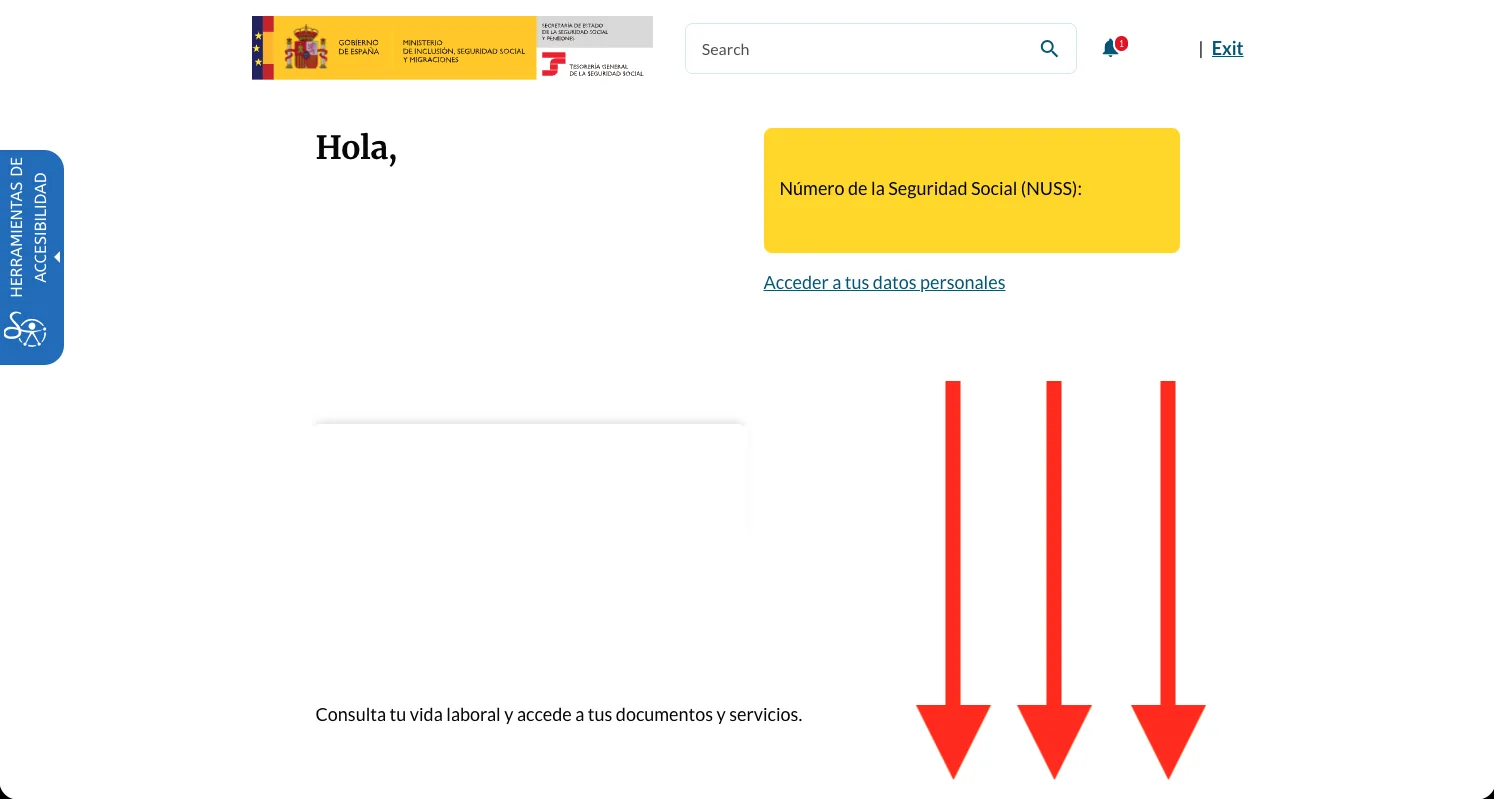
You're in - scroll down to your work-life area
On the 'Área personal' home screen, scroll past your Número de la Seguridad Social to 'Consulta tu vida laboral y accede a tus documentos y servicios'.
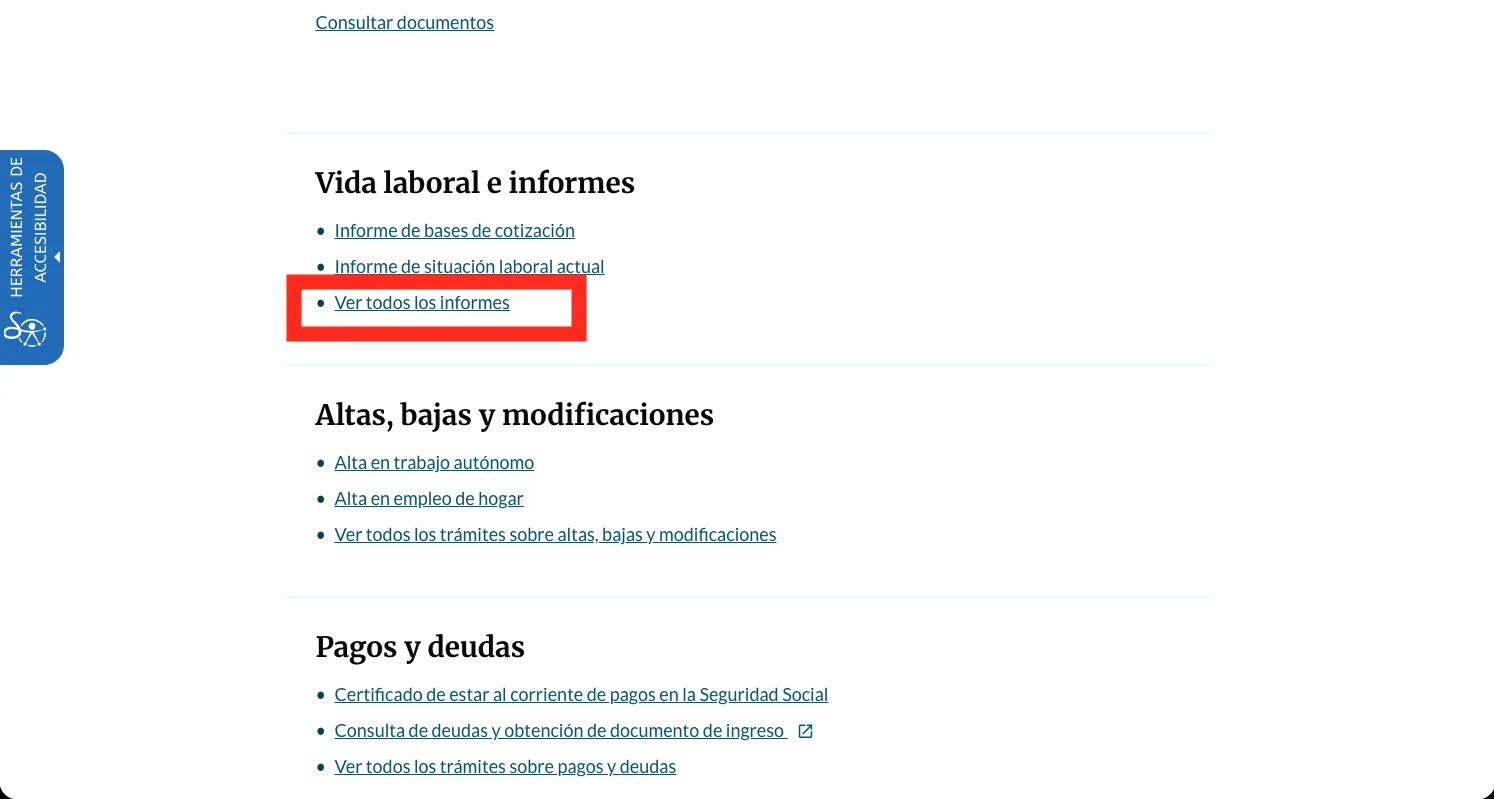
Open Ver todos los informes under Vida laboral e informes
In the 'Vida laboral e informes' block, press 'Ver todos los informes'. This menu is your hub - you'll come back to it later for the second document, so it's worth noting where it is.
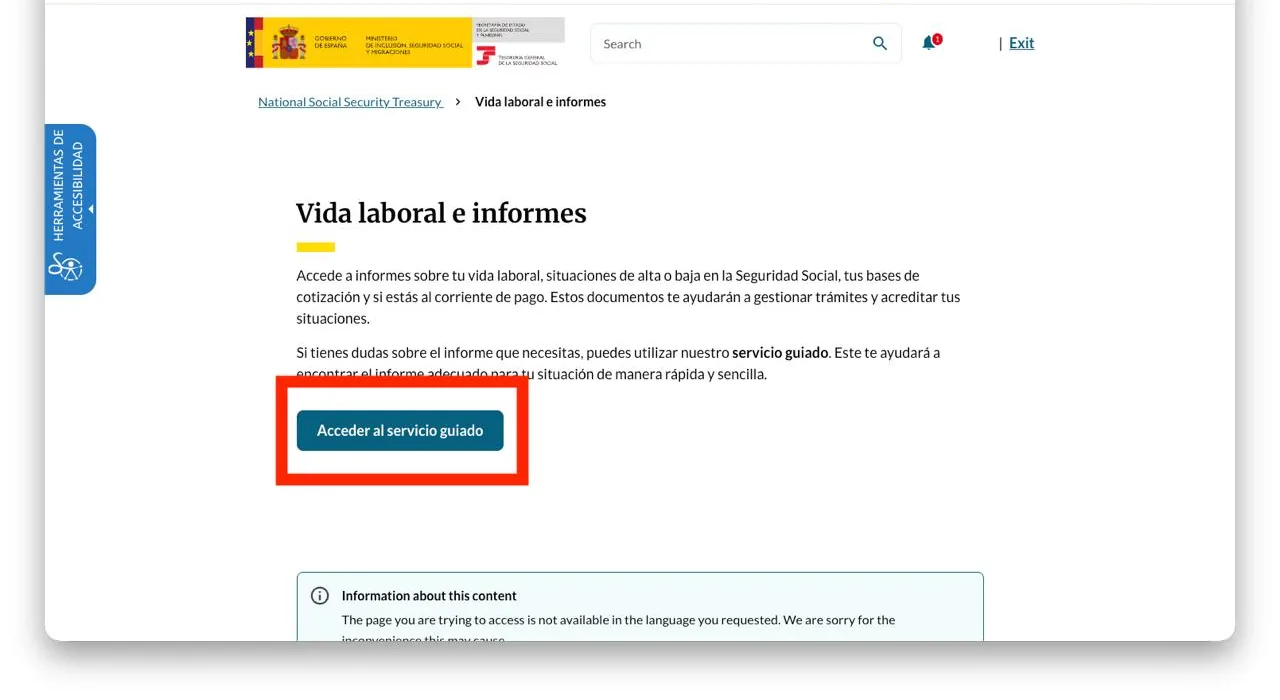
Press Acceder al servicio guiado
On the 'Vida laboral e informes' page, press 'Acceder al servicio guiado' - a short wizard that walks you to the right report.
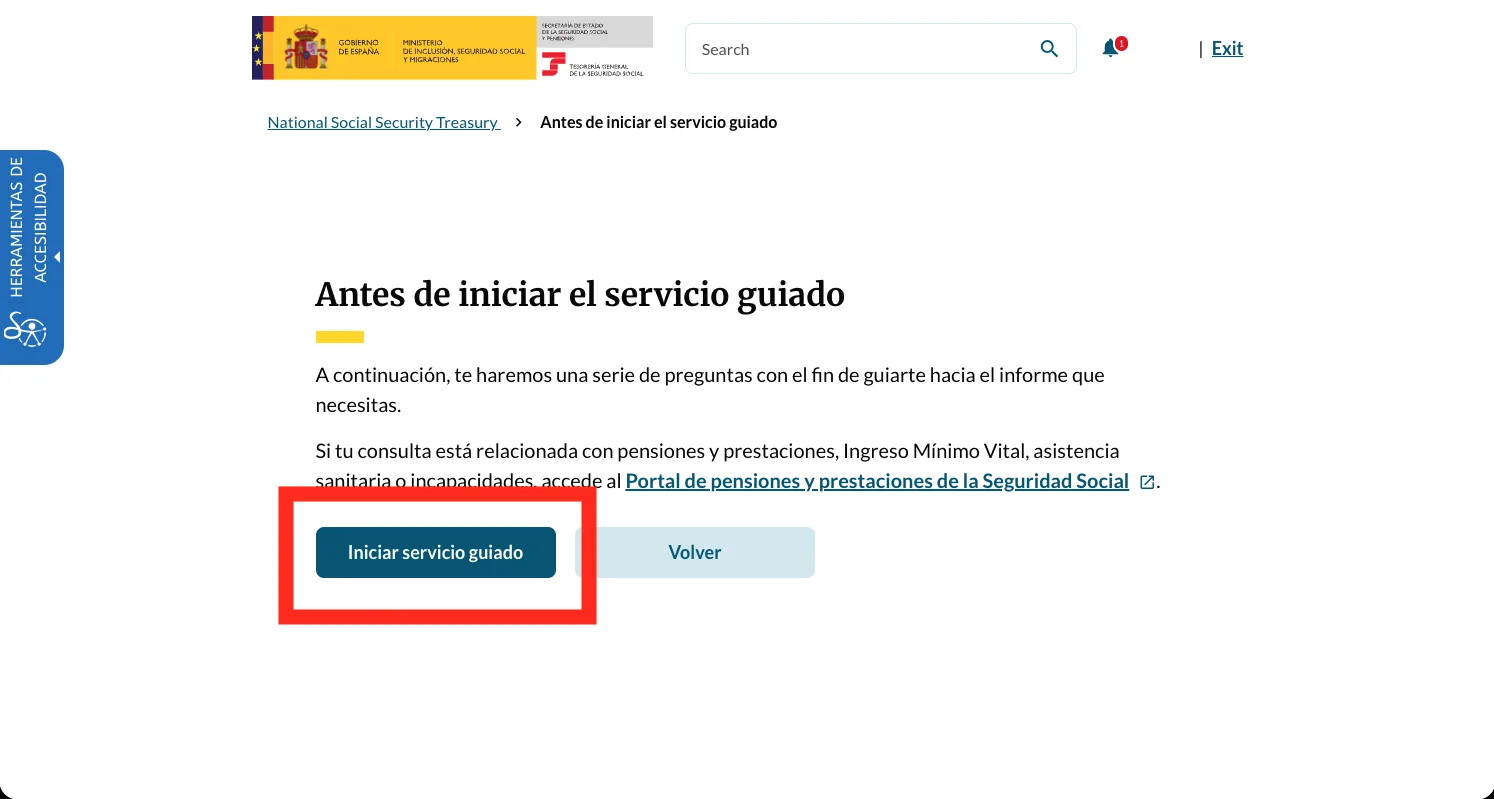
Press Iniciar servicio guiado
The guided service explains it will ask a few questions. Press 'Iniciar servicio guiado' to begin.
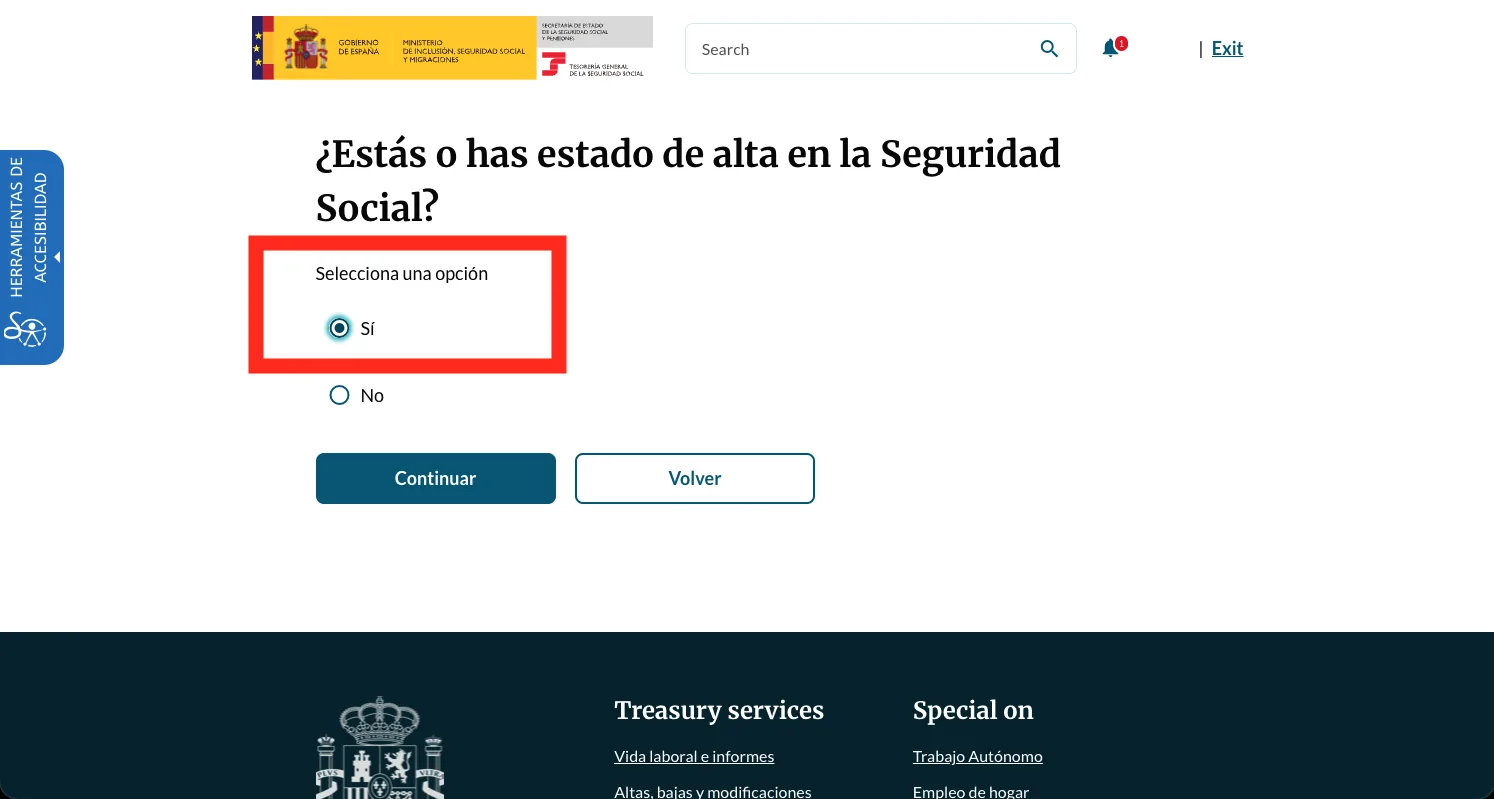
Answer Sí - you have been registered with Social Security
First question: '¿Estás o has estado de alta en la Seguridad Social?'. Choose 'Sí' and press Continuar.
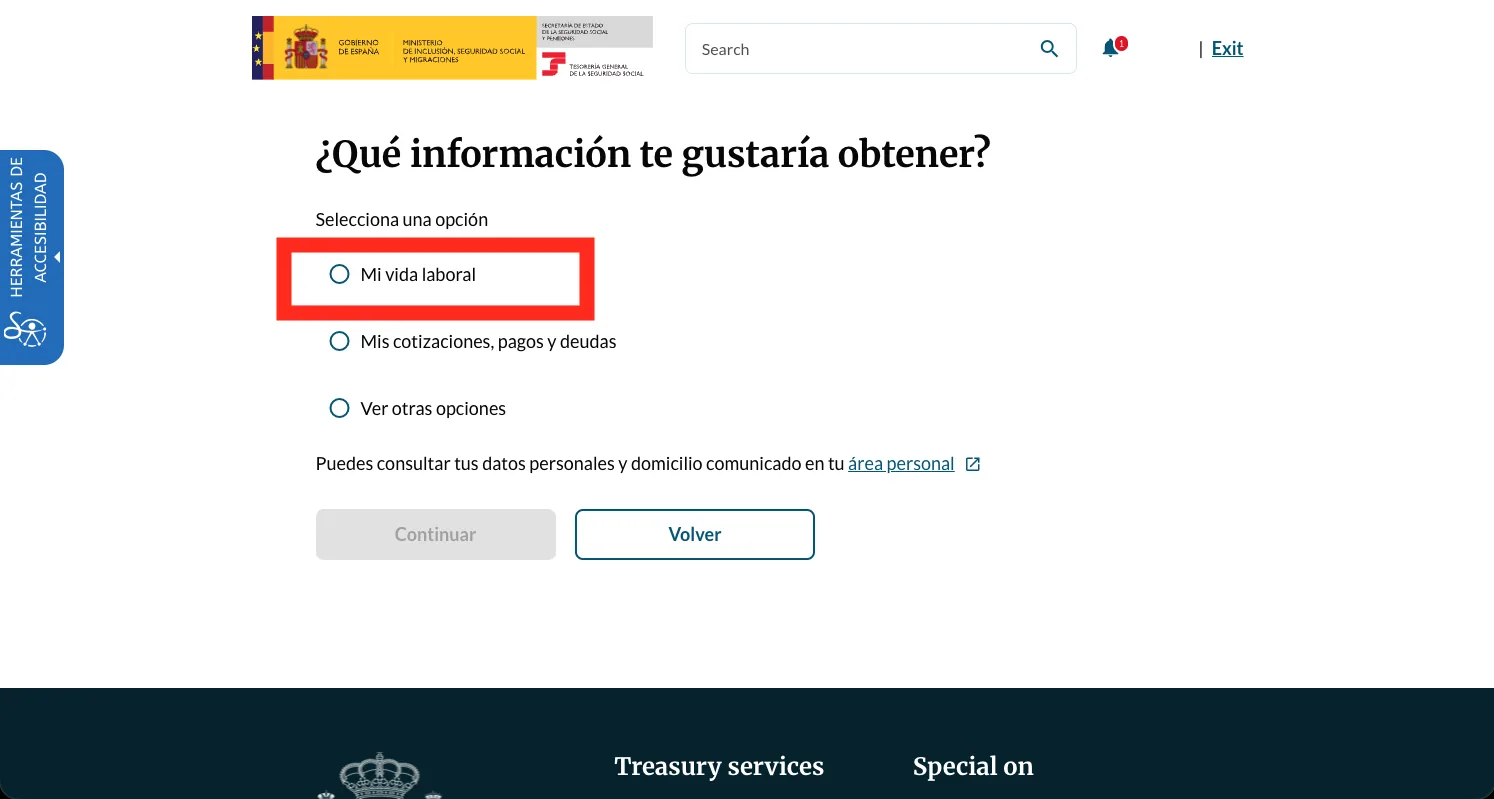
Choose Mi vida laboral
Next: '¿Qué información te gustaría obtener?'. Pick 'Mi vida laboral' and press Continuar.
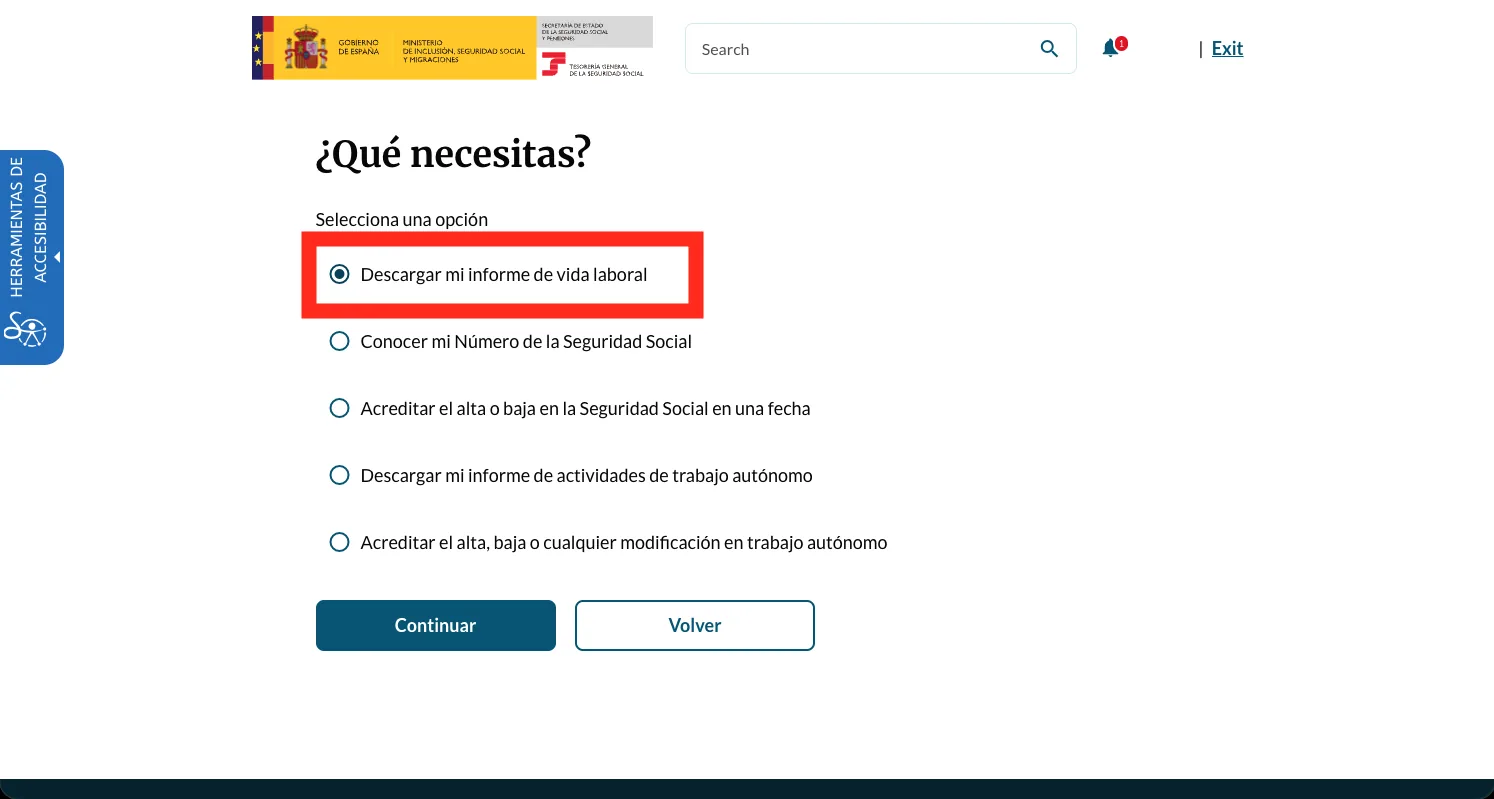
Choose Descargar mi informe de vida laboral
'¿Qué necesitas?' lists several vida-laboral tasks. Pick 'Descargar mi informe de vida laboral' and press Continuar.
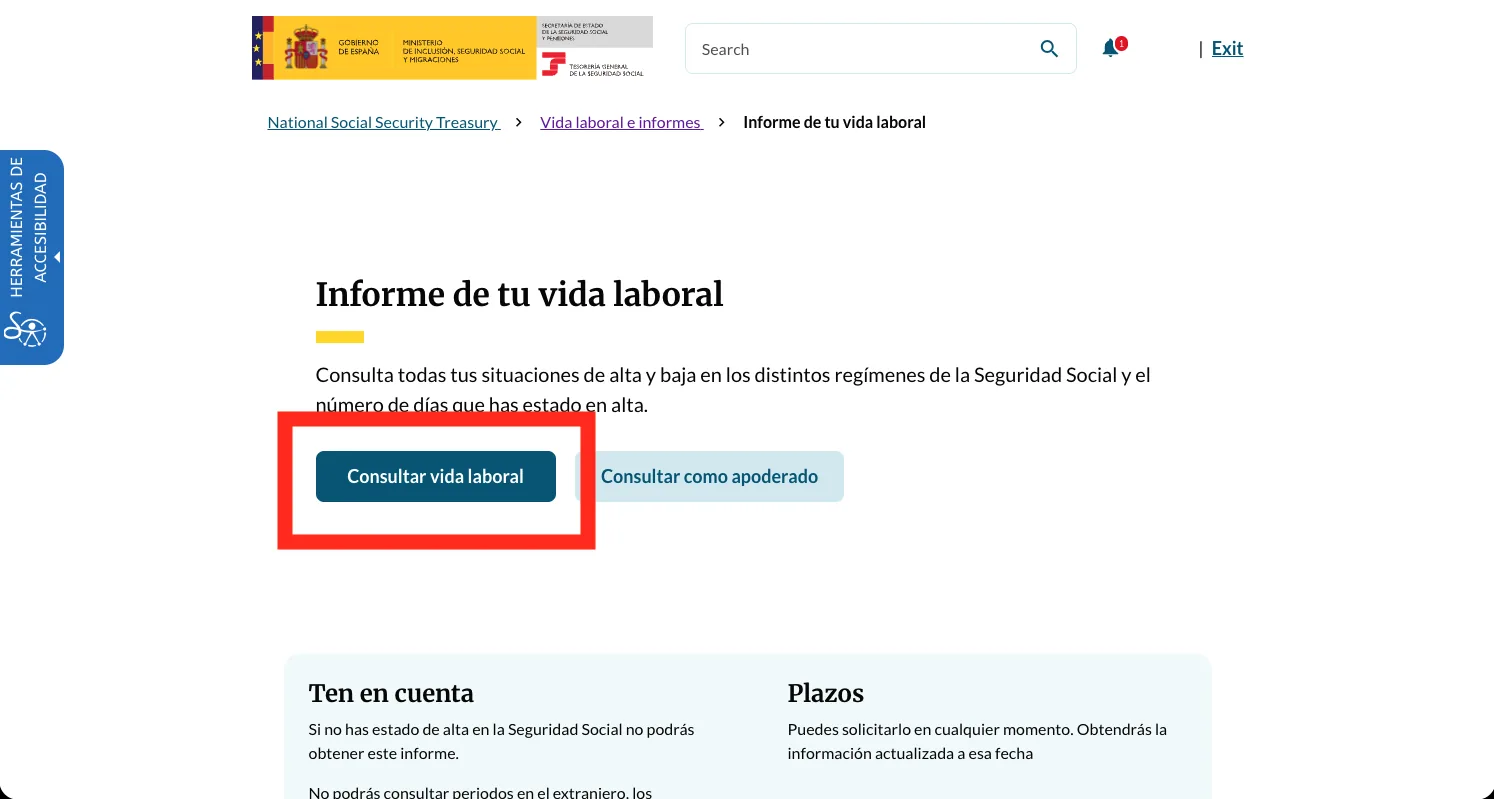
Press Consultar vida laboral
The 'Informe de tu vida laboral' page opens. Press 'Consultar vida laboral' to load your record.
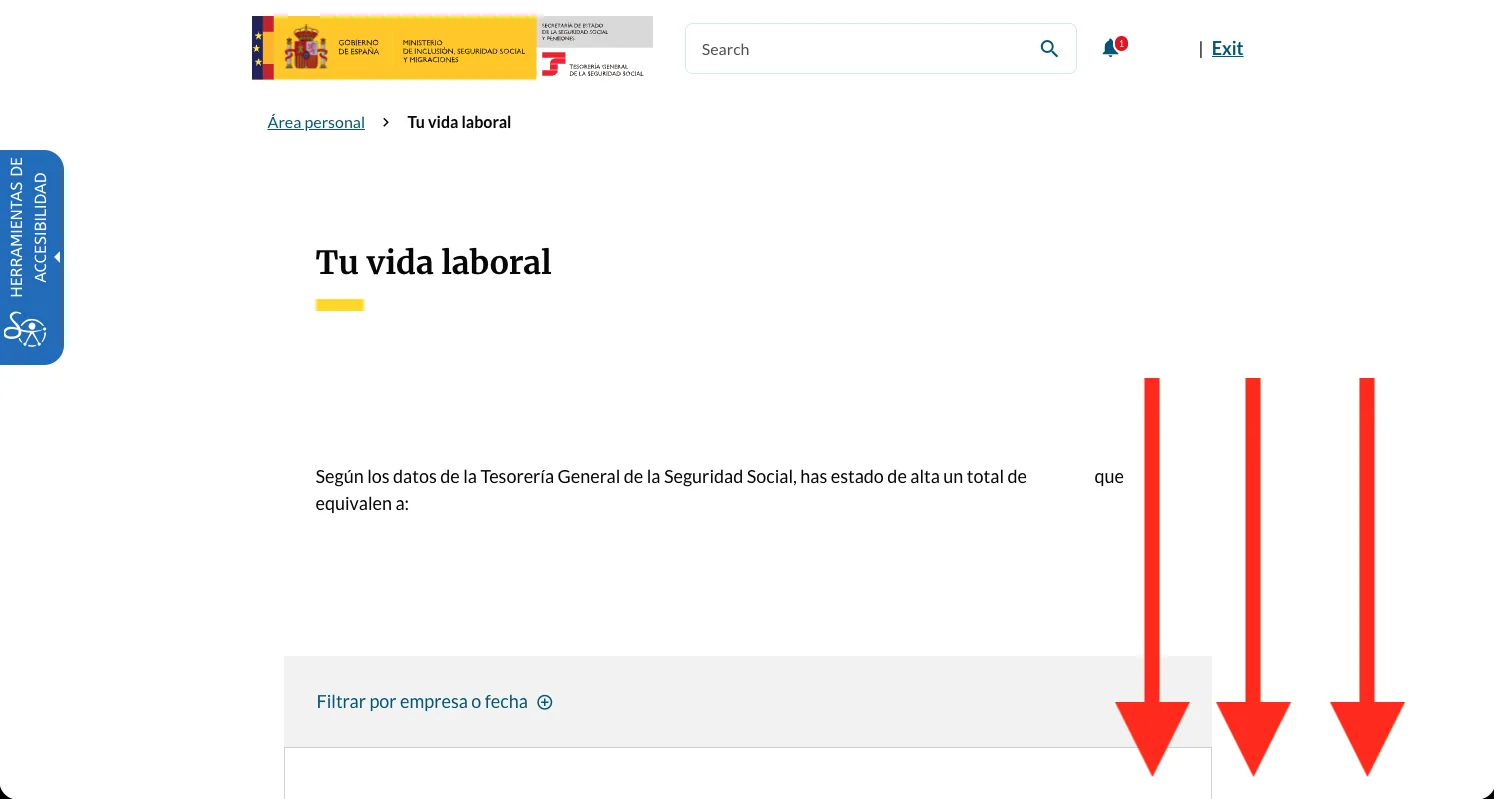
Scroll down through your work history
Your 'Tu vida laboral' record loads on screen. Scroll past your list of periods to the download button at the bottom.
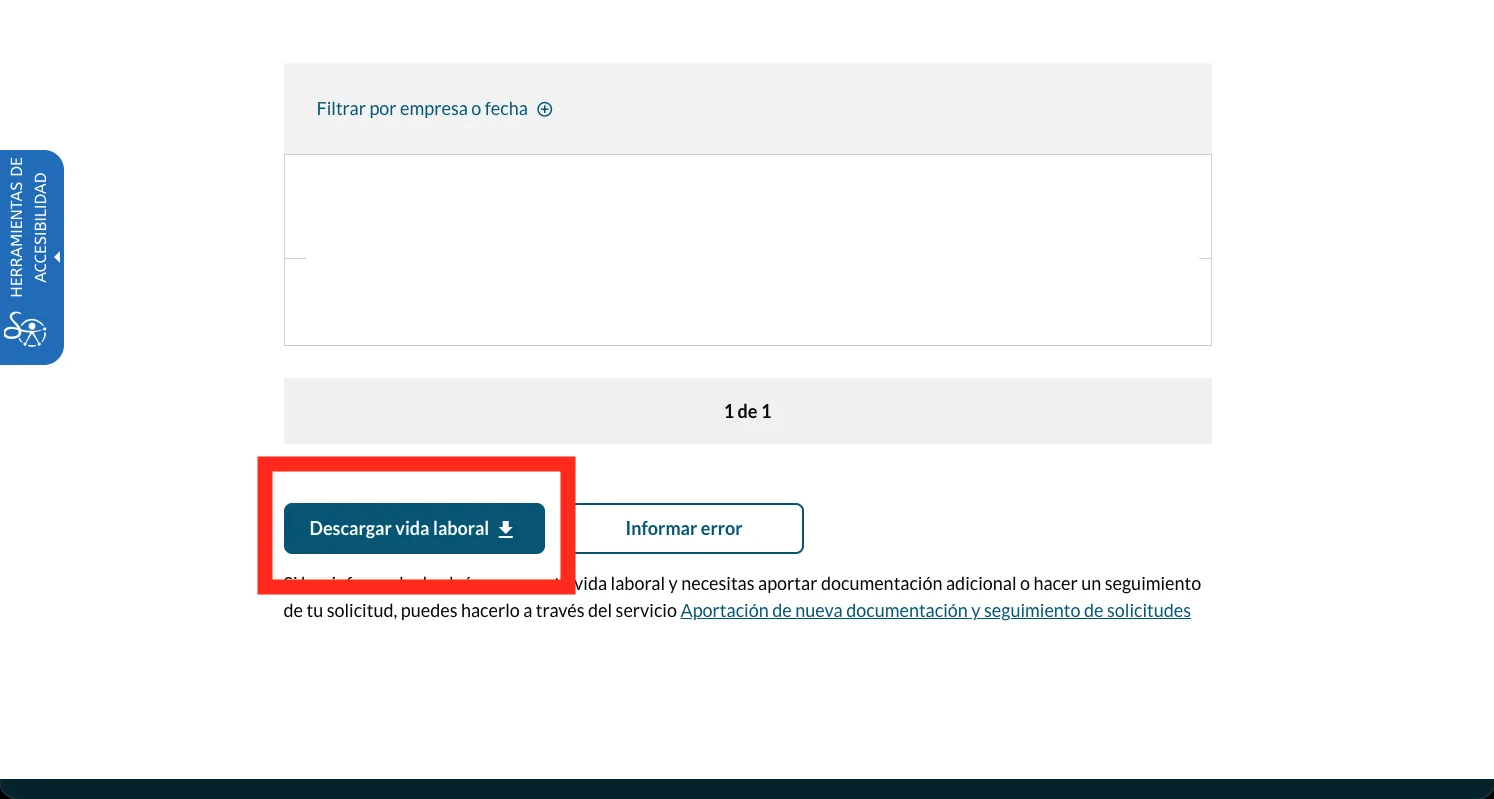
Press Descargar vida laboral
At the bottom, press 'Descargar vida laboral'. The PDF downloads with an electronic verification code (CEA) that gives it full official standing. That's the first of your two documents.
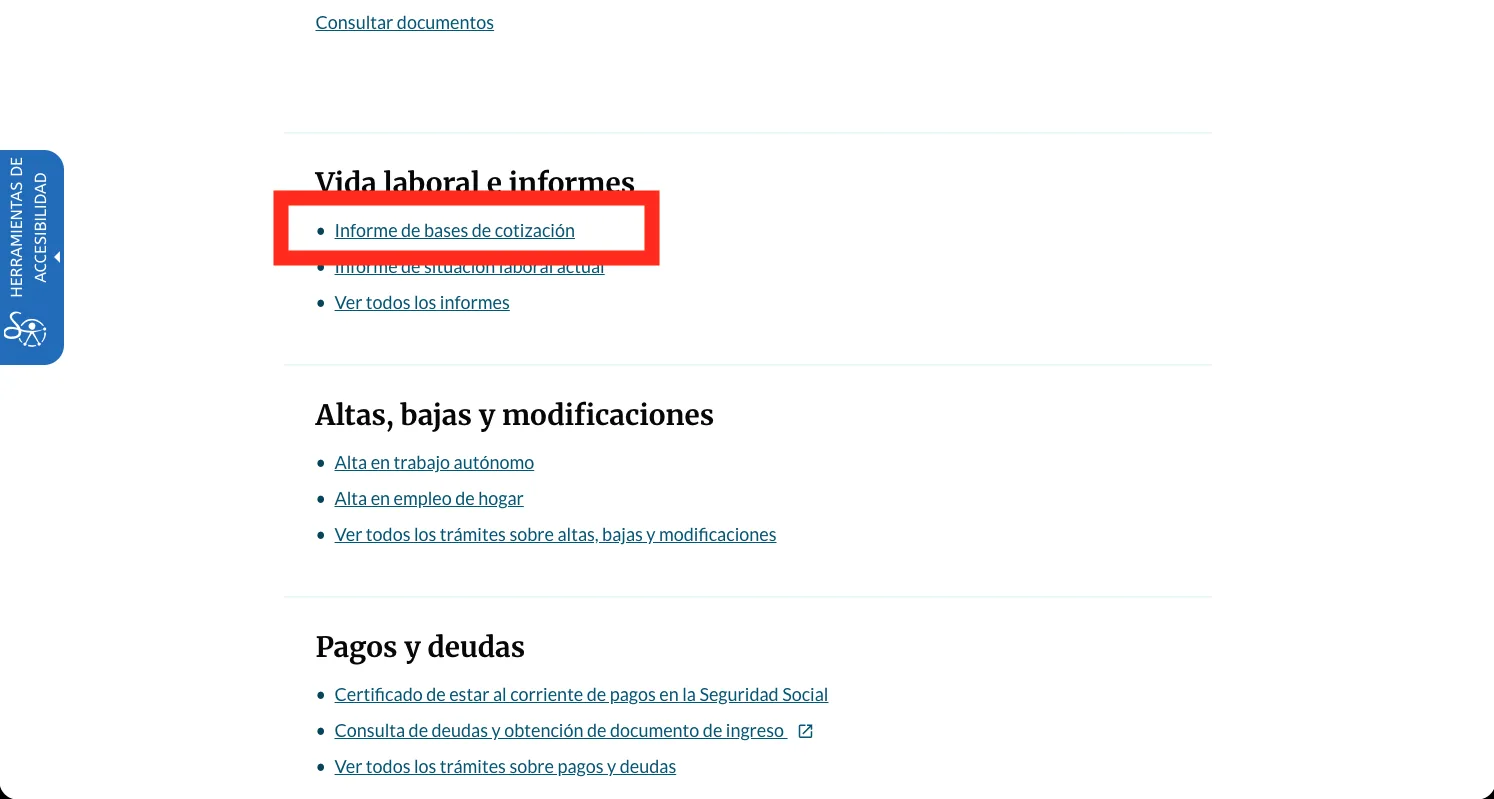
Back in the menu, open Informe de bases de cotización
Return to your área personal menu - the same 'Vida laboral e informes' block from step 4 - and this time pick 'Informe de bases de cotización'. This one goes straight to the report, no guided service needed.
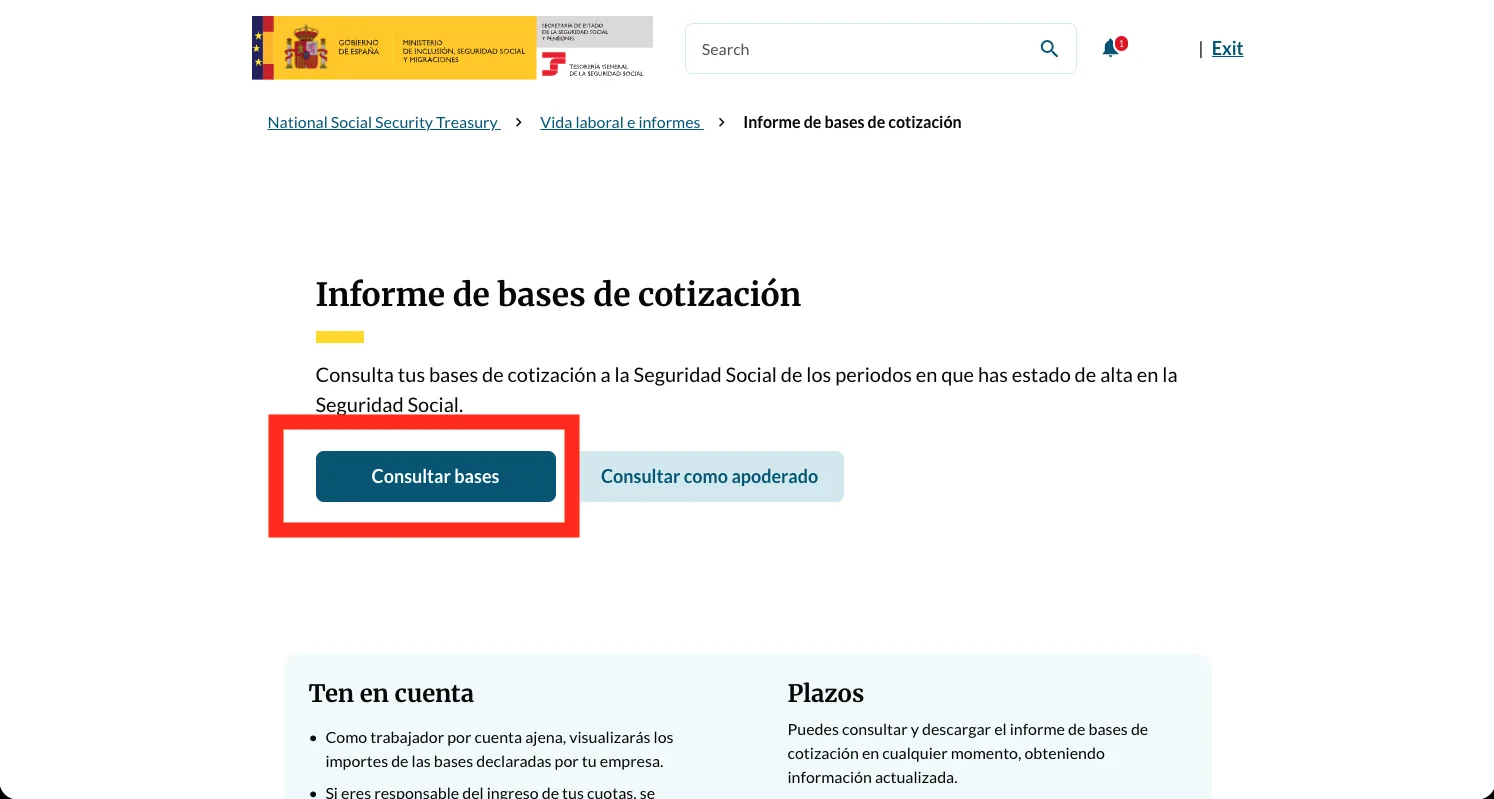
Press Consultar bases
The 'Informe de bases de cotización' page opens. Press 'Consultar bases' to load your contribution bases.
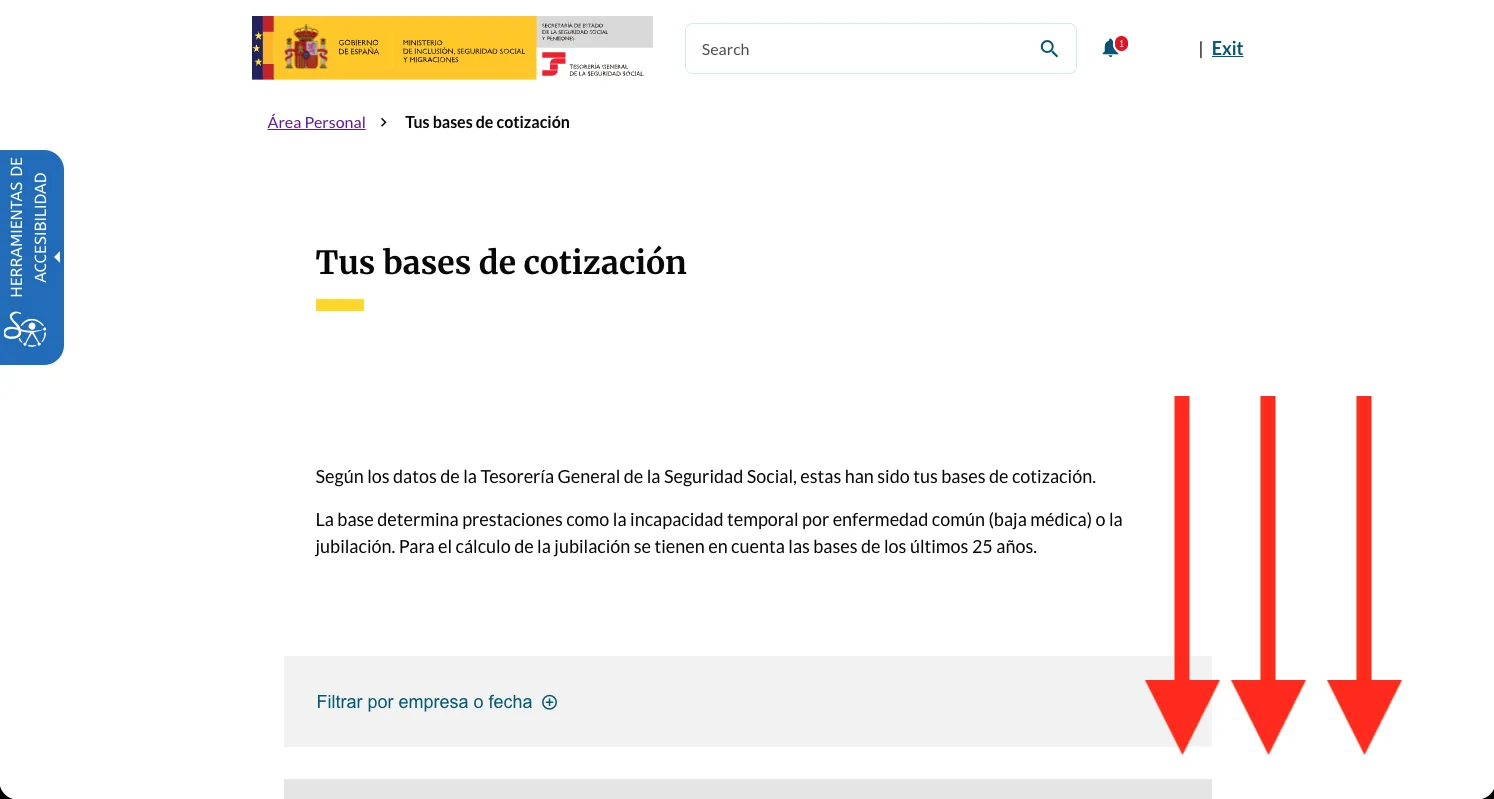
Scroll down through your contribution bases
Your 'Tus bases de cotización' record loads on screen. Scroll past the monthly bases to the download button at the bottom.
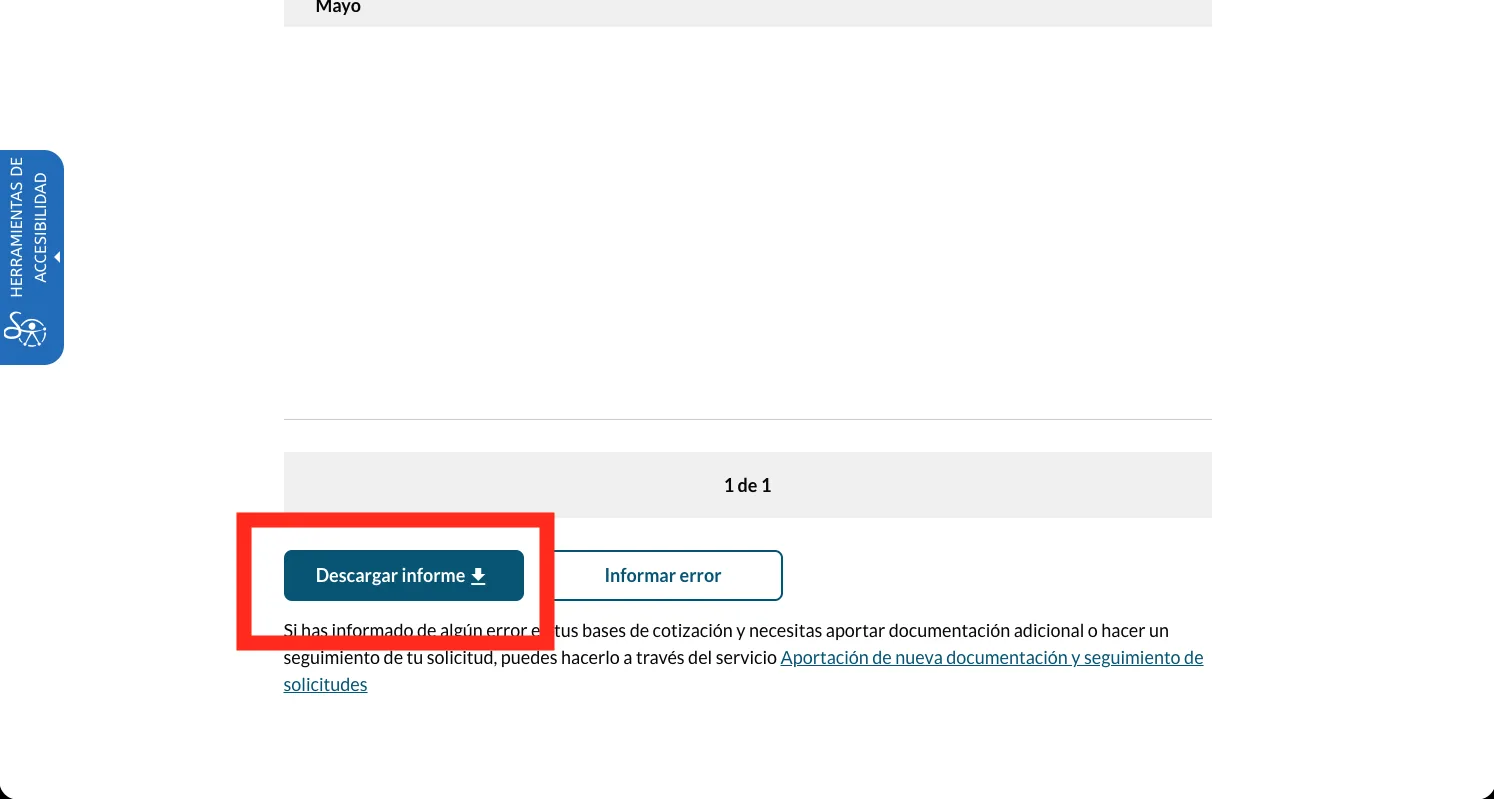
Press Descargar informe
At the bottom, press 'Descargar informe'. The bases de cotización PDF downloads with its own verification code. Upload both PDFs together - that's everything the estimate needs.
What your two reports show - and why the pension needs both
You now have two PDFs, each with an electronic verification code. The Informe de Vida Laboral lists - chronologically - every employer or activity you've been registered under, the Social Security regime for each period (general, autónomo, agrario and so on), the exact start and end dates, and your grupo de cotización, a 1-to-11 professional-category code. It is a record of periods and categories, not a euro figure. The Informe de Bases de Cotización is the euro half: the monthly contribution base recorded for each period, capped each year at the base máxima. Together they are the two inputs a Spanish pension is built from - how long you were covered, and what you earned while you were.
If it doesn't look like this
My record has gaps or a period I know I worked is missing#
Blank periods aren't automatically errors - unemployment, education, caring periods and work carried out entirely outside Spain will all show as gaps. Genuine omissions do happen, most often around employer registration lapses. Because Social Security contributions drive both the minimum qualifying period and the amount of a Spanish pension, a period you're confident about is worth raising with the TGSS directly - by telephone (901 502 050 or 91 541 02 91, weekday business hours) or at an INSS office, with whatever payslips or contracts you still hold.
The bases report only goes back a few years - where's the rest?#
The instant online bases report can be shorter than your full career; the digitised contribution history doesn't always reach back to your earliest years. If years you need are missing, request a certificado de bases de cotización for that specific span from the TGSS - by phone (901 502 050 / 91 541 02 91) or at an INSS/TGSS office - rather than relying only on what downloads instantly.
I also worked in another EU country - do those periods count towards a Spanish pension?#
Yes, under Regulation (EC) No 883/2004: periods of insurance completed in other EU/EEA states (plus Switzerland and, under a separate post-Brexit arrangement, the UK) are totalised with your Spanish record for both qualifying and calculating a pension, applying pro-rata temporis under Article 52 so each country pays for its own periods. Overlapping periods count once, and you need a minimum Spanish record of your own before anything else aggregates onto it.
Do I have to send my reports to another country's pension authority myself?#
No - the institutions exchange records directly with each other when you actually claim. Your reports are for you: they're how you check the Spanish side of your record is complete and correct before you claim, not documents you personally courier abroad.
Worked somewhere else too?
Each country holds its own record, and none of them talk to each other until you claim. These walk the other portals the same way.
Questions people actually ask
Why do I need two documents for Spain - isn't the Informe de Vida Laboral enough?#
No, and this is the one thing that catches people out. A Spanish pension is a percentage of your regulatory base - the earnings you contributed on - applied to how long you contributed. The Informe de Vida Laboral only carries the second half: your coverage, in months and periods, with no euro figure anywhere on it. The earnings live in a separate report, the Informe de Bases de Cotización. Give us the vida laboral alone and we can confirm your years but have no base to price the pension against, so the estimate can't produce a real number. Both together is what makes it work - and both come from the same personal area, so it's one more report, not a second errand.
How do I get the Informe de Bases de Cotización?#
It's in the same 'Vida laboral e informes' menu as the vida laboral. Once you're logged in and have downloaded the vida laboral, go back to that menu and pick 'Informe de bases de cotización', press 'Consultar bases', and download the PDF. You don't log in again - one session covers both reports, and both are free.
How fast do the reports arrive?#
Both generate instantly once you're logged in and reach the service - there's no waiting. The only slow routes are telephone or postal requests, which several sources describe taking roughly a week to arrive by mail; avoid those unless the online route isn't available to you.
Is there any charge for these reports?#
No. Every online route is free, issued directly by the Tesorería General de la Seguridad Social. Any third-party site charging a fee is not the official service.
Can I get my reports without Cl@ve or a digital certificate?#
Yes - the 'Via SMS' option on the login gateway needs no account, no password and no certificate, only your DNI/NIE and a one-time code sent to the mobile Social Security already has on file for you. If that number isn't on file, the SMS option is closed and you'll need Cl@ve or a certificate to log in.
Can I request my reports from outside Spain?#
Yes - the portal doesn't check your location. The genuine obstacle for someone abroad is Cl@ve registration, not the request itself: the no-certificate internet registration route sends an activation letter to a Spanish postal address, which most emigrants no longer have. The documented workaround is a video-call identity check with the Agencia Tributaria rather than the postal route.
What's the difference between Cl@ve Permanente and Cl@ve Mobile?#
Cl@ve Permanente is a persistent username/password login reinforced with SMS one-time codes, meant for frequent use. Cl@ve Mobile (elsewhere called Cl@ve PIN) is a temporary, occasional-use code issued fresh each time you need it, with nothing to remember between uses. Either is sufficient to download these reports.
What does the Informe de Vida Laboral actually show?#
A chronological list of every employer or self-employed activity you've been registered under with Social Security: the regime (general, autónomo, agrario, etc.), exact start and end dates, and your grupo de cotización - a 1-to-11 professional-category code. It does not show a pension amount or projection, and it does not show month-by-month contribution figures in euros; that lives in the Informe de Bases de Cotización.
Do the reports tell me what my Spanish pension will be?#
No. They are a record of registered periods, categories and contribution bases, not a forecast. Entitlement and amount are only determined when you actually claim, calculated against the regulatory base and the rules in force at that time.
What is the grupo de cotización on my report?#
A professional-category code from 1 to 11 - for example 1 covers engineers and graduates, 7 covers clerical staff, 10 covers unskilled labour - used historically to set contribution bases. It looks like it could be a pension-relevant multiplier and isn't; treat it as a job-category label, not a benefit calculation.
How many years do I need to have contributed for a Spanish state pension?#
A minimum of 15 years contributed, at least 2 of them within the 15 years immediately before you claim, is the qualifying floor - that gets you 50% of your base reguladora. The full ordinary retirement age and contribution profile shift by year under current reform rules: in 2026, reaching ordinary retirement age at 65 requires roughly 38 years 3 months contributed; with less than that, ordinary retirement age rises to around 66 years 10 months. These figures move with policy - confirm against Seguridad Social's own published tables before relying on them for a specific decision.
Do my contributions in other EU countries count towards a Spanish pension?#
Yes, under Regulation (EC) No 883/2004, the same EU social security coordination framework that applies to Ireland. Insurance periods completed in other EU/EEA states, Switzerland, or the UK (under its own post-Brexit arrangement) are totalised with your Spanish record for both qualifying and calculating a pension, with each country paying pro-rata for its own periods, and overlapping periods counted once.
Do I need to send my reports to another country's pension authority myself?#
No. The institutions exchange contribution records directly with each other once you formally claim - you are not the courier. Your reports exist so you can check the Spanish side of the record is complete and correct before that happens, since disputes are slow to resolve and are best caught before a claim is in progress.
Official sources
- Informe de tu vida laboral - Import@ss (Seguridad Social)
- Vida laboral e informes - Import@ss (category page; the Informe de bases de cotización lives here alongside the vida laboral)
- Ciudadanos → Informes y certificados - Sede Electrónica de la Seguridad Social
- 'Servicios Vía SMS' - Ministerio de Inclusión, Seguridad Social y Migraciones
- Cómo obtener el informe de vida laboral - Revista Seguridad Social
- Cl@ve - registration options
- Reglamento (CE) nº 883/2004 - BOE
- Requisitos de la jubilación en 2026 - Campmany Abogados
Last checked against the live portal on . Government portals get redesigned without notice - if a screen here no longer matches what you see, trust the portal, not us. This guide is independent and is not affiliated with the Tesorería General de la Seguridad Social (TGSS).